TAG Heuer
Pc Lap Counter works with TAG Heuer decoders
Version 5.06 of Pc Lap Counter includes a new interface to read data coming from TAG Heuer decoders. TAG Heuer is a timing system for kart racing and works with transponders.
How to configure Pc Lap Counter to work with a TAG Heuer decoder:
- Start Pc Lap Counter.
- Go to the options screen (click the “options” button).
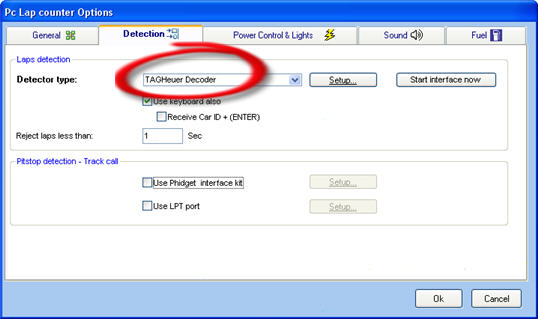
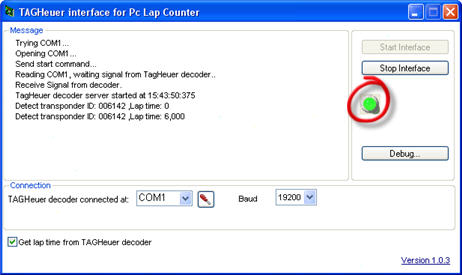
- In the detection tab, choose “TAGHeuer” as the detector type and click OK; the interface starts automatically and detects the COM port to use.
How to set up a race with a transponder system:
- Each transponder must be known to Pc Lap Counter. In Pc Lap Counter, the transponder is linked to the car, so it is important to update the cars database and specify the transponder ID for each car:
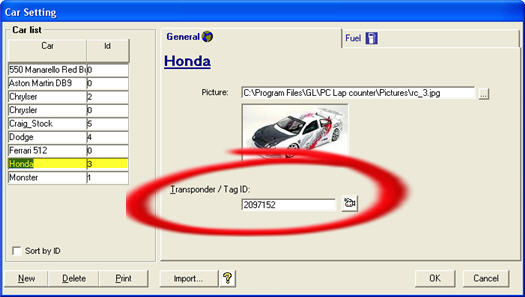
 This button opens the transponder reader window.
- When you set up a race, the most important thing is to select the right car for each driver/team, because the car provides the link between the transponder ID and the driver.
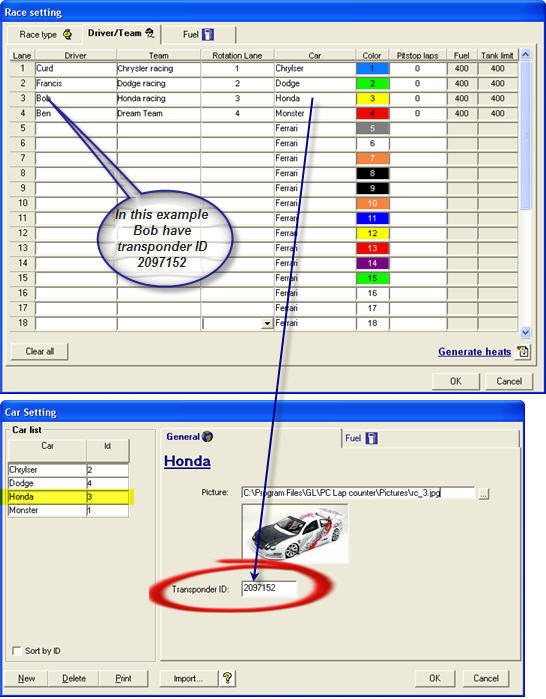
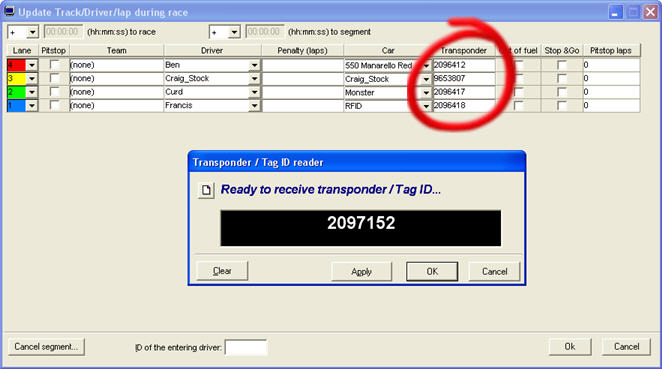
Tip: during the race you can change the transponder ID of each car/driver. In the main screen of Pc Lap Counter, just click the “Update...” button and update the transponder ID (double-clicking it opens the transponder ID reader window).