
Arduino
Pc Lap Counter works with Arduino boards:
Since version 5.26, Pc Lap Counter can send and receive commands through a COM port (protocol description available here). It is therefore possible, for example, to use an Arduino board with Pc Lap Counter (with or without your existing hardware such as Phidget or the parallel port).
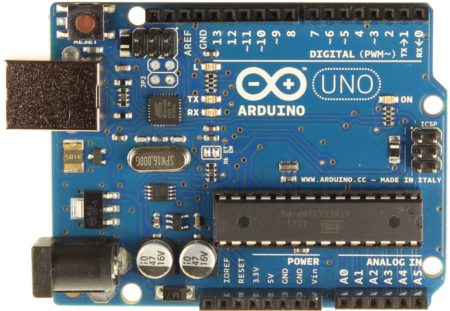
To use an Arduino board with Pc Lap Counter, you need to write a sketch based on the Pc Lap Counter protocol description (“sketch” = “program” in Arduino terminology). Sketch examples are available here.
To enable the “send/receive messages from COM port” feature, tick the following option in Pc Lap Counter:
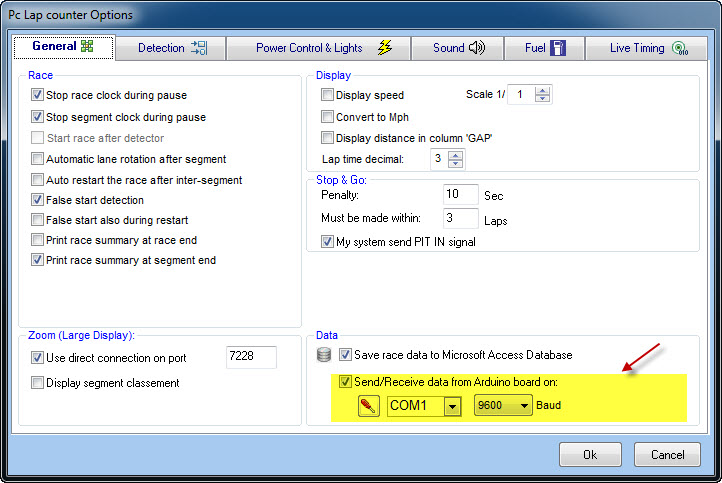
When this option is enabled, Pc Lap Counter sends commands for the starting lights, other lights, power control, etc., and can also receive messages for the S/F line, pit stops, track call, external buttons, RFID cards, etc. (more information in the Pc Lap Counter protocol description).
Since version 5.43, you can also select “Arduino” as the detector type. This takes the lap and pit lane detection load off the main screen of Pc Lap Counter and gives better display performance (more information in the Pc Lap Counter protocol description).
Note:
Setting up an RFID card to change driver with Arduino is exactly the same as with Phidget RFID, except for driver stations; more information on driver stations for Arduino will be available soon.