
Carrera Digital 30342
Pc Lap Counter works with the Carrera Digital Lap Counter 30342:
Since version 4.53, Pc Lap Counter includes a new interface to read data from the Carrera Digital Lap Counter 30342.
The data decoding is based on the documentation by Brumbaer.
Pc Lap Counter has more features than the X-Lap software: for example, sound, driver rotation, team races, gap, large display, championship, ghost and pacer car detection and more.
The Lap Counter 30342 only sends car crossing information; it does not send any information on throttle level, Pit IN or Pit OUT. You therefore cannot currently use the fuel management or the Stop & Go management of Pc Lap Counter with the Lap Counter 30342... BUT since version 5.03 you can use a Phidget RFID reader to detect pit stops, which makes it possible to use the analog fuel management and the Stop & Go feature of Pc Lap Counter on a Carrera Digital track with the Lap Counter 30342.
To connect your Carrera Digital Lap Counter 30342 to the PC, you need the electronic lap counter (ref. 30342) and the PC-UNIT (ref. 30349).The PC-UNIT can be replaced by Rich G’s cable. You can buy it by e-mailing him at richg@girling.net, or from Professor Motor or Slot Car-Union.
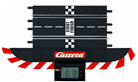
Lap counter Ref 30342
+
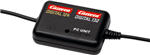
PC-UNIT Ref 30349
OR
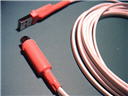
Rich G. Cable
=
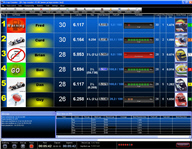
How to configure Pc Lap Counter to work with the Carrera Digital Lap Counter 30342:
- Go to the options screen (click the “options” button).
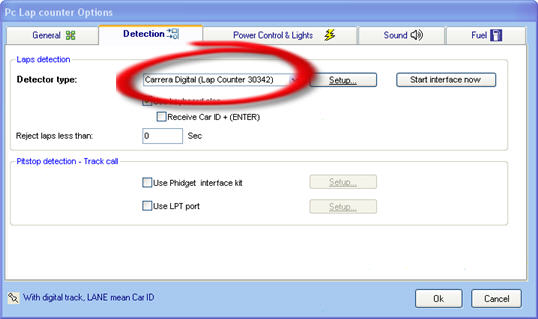
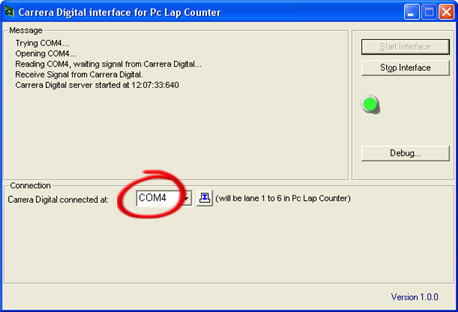
- In the general options, choose “Carrera Digital (lap counter 30342)” as the detector type and click OK; the Carrera Digital interface of Pc Lap Counter starts automatically and detects the COM port to use.
- Then you only need to assign drivers to lanes 1 to 7 when you set up a race (lane 1 = car ID 1, lane 2 = car ID 2, etc. Lane 7 = ghost car, lane 8 = pace car).
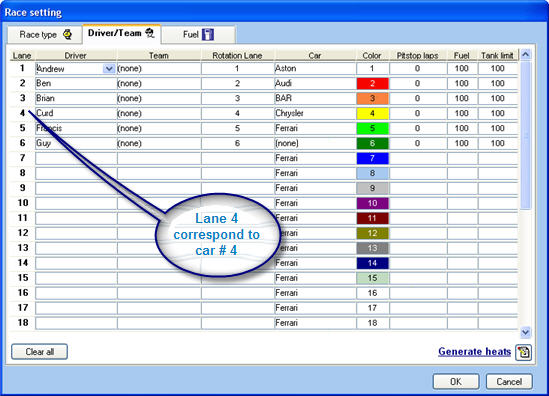
Put ghost car on LANE 7