
Webcam
Using a webcam as a detector for Pc Lap Counter:
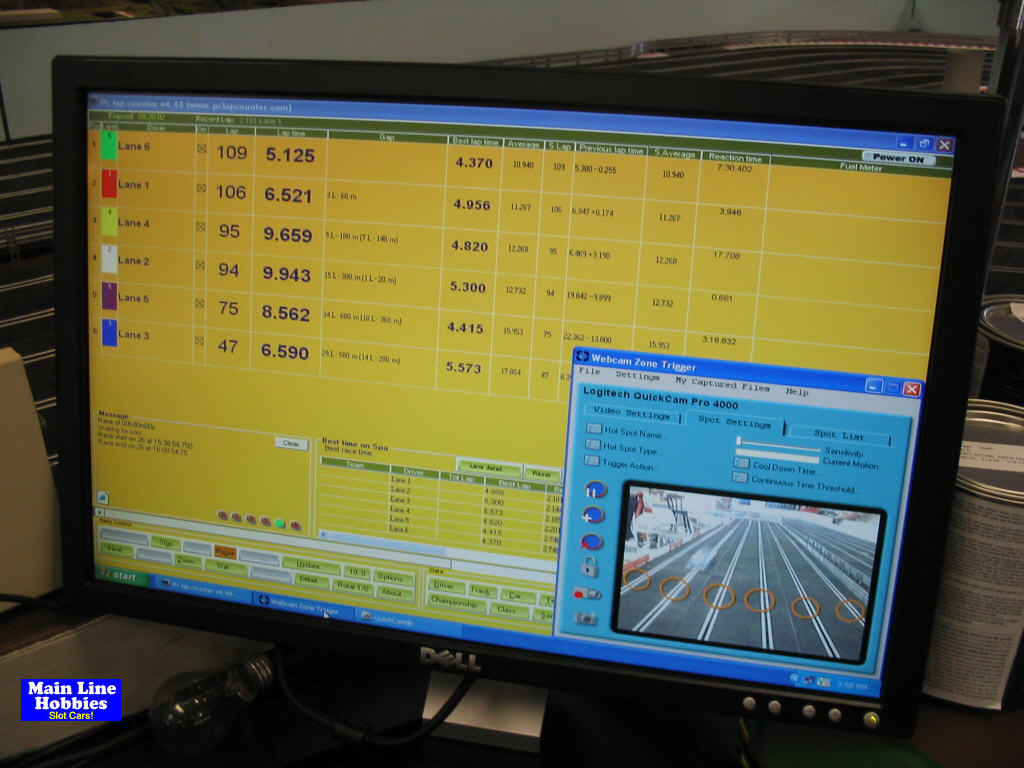
Some software, such as “Webcam Zone Trigger”, can detect an intrusion in part of your house using a webcam and define an action to take, such as sending an e-mail or running a program that can do whatever you want, for example sending detection information to Pc Lap Counter.
Version 4.25 of Pc Lap Counter includes a small program called “triggerlane.exe” that sends detection information to Pc Lap Counter
(the program is in the folder C:\Pc Lap Counter).
By default, “triggerlane.exe” sends detection information to lane 1, but you can specify the lane as a parameter, like this:
"C:\PC Lap counter\triggerlane.exe" 2 (the detection information is sent to lane 2)
I tested the software “WebcamZone Trigger 2” (see http://www.zonetrigger.com/) and it is very good: you can define the precision of the detection zone and, for each detection zone, the action to take.
It also runs in the background without using many resources on your PC. Here is a small example:
In WebcamZone trigger 2:
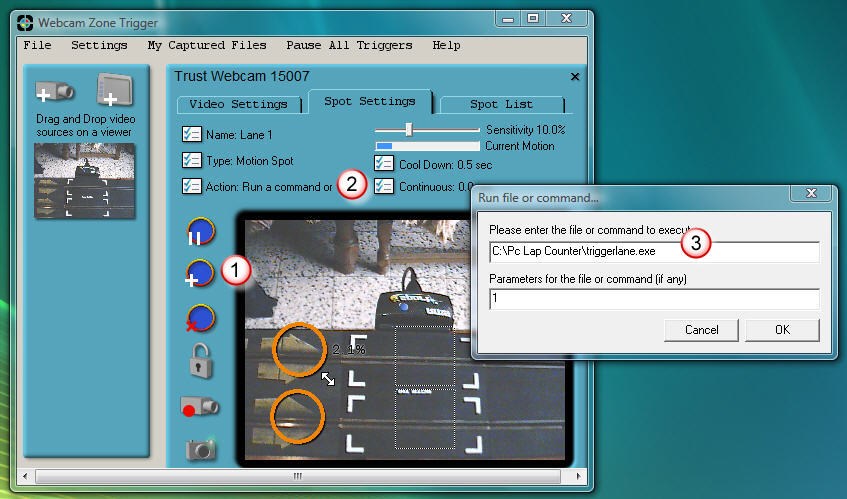
1 - Add a motion Spot to detect a car passing the S/F line.
2 - The Spot runs a command or a program.
3 - Specify the program to run and its parameters; in this case, the lane number.
In Pc Lap Counter:
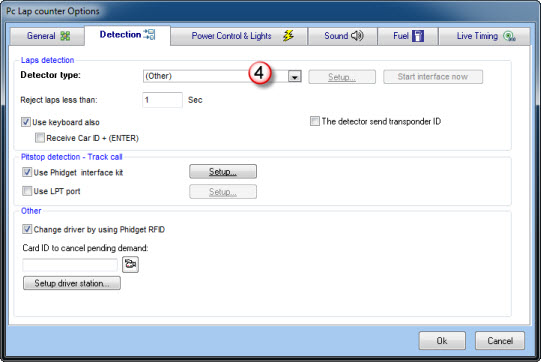
4 - Select “(Other)” as the detector type.
Here is a video of Pc Lap Counter and Zone Trigger 2 in action. You will see that you can also detect pit stops with your webcam:
Download the original video here