
Phidget interface
Pc Lap Counter works with USB Phidget interface kits:
Warning: Pc Lap Counter only supports Phidget interface kits that work with the Phidget21 libraries (the Phidget22 libraries are not supported by Pc Lap Counter). Before buying a Phidget interface, ask your reseller to confirm that it works with the Phidget21 libraries.
Here is a video showing a Phidget 0/16/16 interface used for lights and external buttons to start, pause and resume the race, start a yellow flag, etc.
In this video of my Slot.it oXigen track, the Phidget 0/16/16 interface is placed in the blue box (a Scalextric car box).
Since version 4.36, Pc Lap Counter works with the USB Phidget interface kits 0/16/16, 8/8/8, 0/0/4 and 0/0/8.
More information about Phidget interface kits is in the links section below. A quick search on the internet shows that Phidget hardware is sold in many countries (USA, Europe, etc.) and offers many accessories compatible with the interface kits, such as light sensors and push buttons.
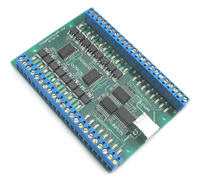
- Phidget interface kit 0/16/16:
- 16 Digital input
- 16 Digital output
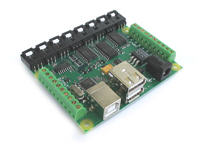
- Phidget interface kit 8/8/8:
- 8 Digital input
- 8 Digital output
- 8 Analog input
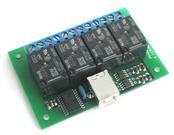
- Phidget interface kit 0/0/4:
- 4 digital outputs, 4 relays on board
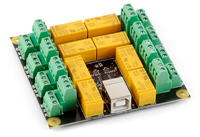
- Phidget interface kit 0/0/8:
- 8 digital outputs, 8 relays on board
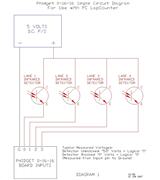
You can use any of these Phidget interface kits with Pc Lap Counter (up to 4 kits can be connected). The Phidget 0/16/16 and 8/8/8 can be used for car detection, pit stop detection, lane power, starting lights and track call.
The Phidget 0/0/4 and 0/0/8 can only be used for lane power and/or starting lights.
How it works in Pc Lap Counter:
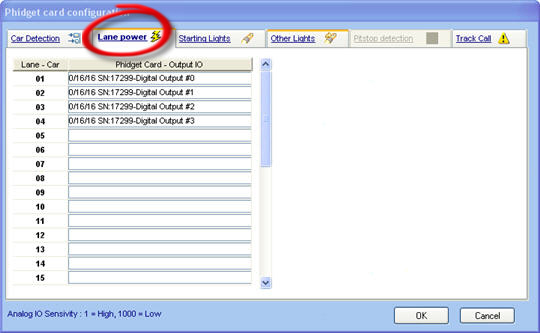
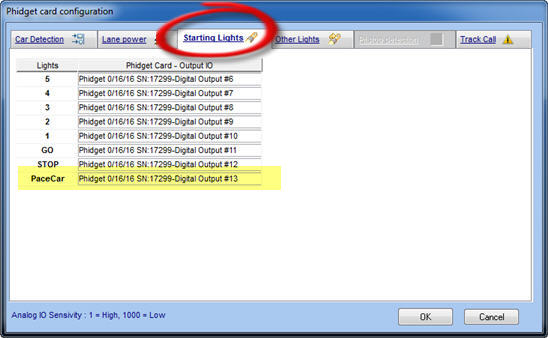
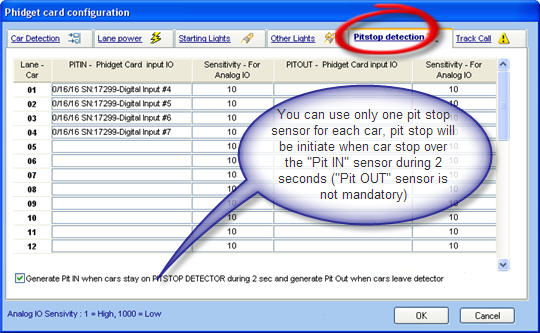
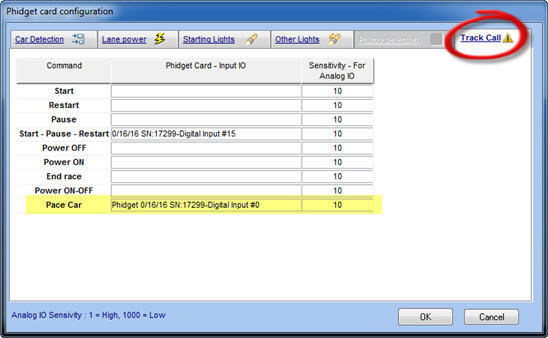
Just plug the interface kit into a free USB port (no drivers needed), go to the options screen and specify which functionality you want to use the Phidget interface kit for. As you can see, you can use it for car detection, but also for pit stop detection, track call, lane power and starting lights:
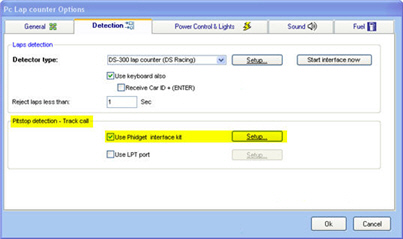
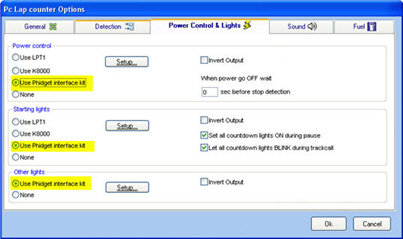
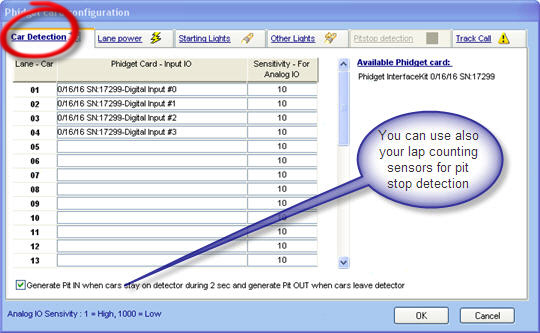
For each functionality that uses a Phidget interface, click the setup button. The Phidget card configuration screen is displayed and lets you specify the different IOs to use for car detection, lane power, starting lights, pit stop detection and track call.
The IO list offered by Pc Lap Counter depends on the Phidget interface(s) connected to your computer.
Phidget hardware links:
Note: Phidget interface kits do not work on Windows 98.