
Carrera Digital 30352
Pc Lap Counter works with the Carrera Digital Control Unit 30352:
Since version 5.10, Pc Lap Counter includes an interface to read data from the Carrera Digital Control Unit 30352 (the data decoding is based on the documentation by slotbaer.de).
To connect your Control Unit to the PC, you need the PC-UNIT (ref. 30349) or Rich G’s special cable, which is less expensive.
You can buy Rich G’s special cable by e-mailing him at richg@girling.net, or from Professor Motor, Slot Car-Union or Slotrace-tec.
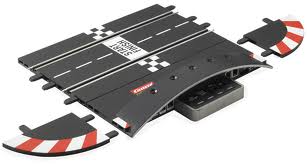
Control Unit Ref 30352
+
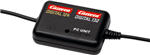
PC-UNIT Ref 30349
OR
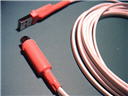
Rich G. Cable
What Pc Lap Counter can do with the Control Unit 30352:
=
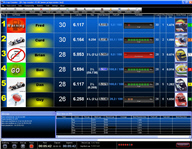

- Detect cars crossing the finish line for 6 cars + 1 ghost car + 1 pace car (sector timing is not implemented at the moment).
- Reduce the cars’ performance according to the fuel level (only when you tick “fuel management” in the race setting; Pc Lap Counter then uses its analog fuel management). (*)
- Control the track power when starting, pausing, resuming or stopping a race. (*)
- Limit the cars’ max speed in the pit lane. (*)
- Slow all cars during a yellow flag. (*)
- Slow the car when the driver runs out of fuel. (*)
- Slow the car when the driver finishes the race. (*)
- Slow the car when the driver fails to serve his stop & go penalty. (*)
- Start, pause or resume the race using the “START” button of the Control Unit (of course, you can also use the buttons of Pc Lap Counter and/or an external button).
- Resume a race without a countdown using the “ESC” button of the Control Unit.
- In the driver settings, specify driver preferences such as maximum power and brake strength. (*)
- In the race setting, specify the tank capacity of each car. (*)
- Count laps for the ghost car and the pace car (in Pc Lap Counter, the pace car is car #7 and the ghost car is car #8).
- Display the driver’s position and the remaining number of laps on the position tower 30357. (*)
- Display the fuel level and the driver’s position on the driver display 30353. (*)
- Detect pit stops using the pit lane 30356 or the pit stop adapter 30361.
(*) available since version 5.38
What Pc Lap Counter cannot do with the Control Unit 30352:
- Give a stop & go penalty to a driver who makes a false start (because the Control Unit does not send the ID of the offending driver).
- Control the ghost car or pace car (because the Control Unit has no command to change their speed).
- Reduce the max speed of the ghost car or pace car (because the max speed command only accepts cars 1 to 6).
- Manage track calls (because the Control Unit does not send the status of the LC button).
- Use the digital fuel management (because the Control Unit does not send the throttle level).
How to configure Pc Lap Counter to work with the Carrera Digital Control Unit 30352:
- Go to the options screen (click the “options” button).
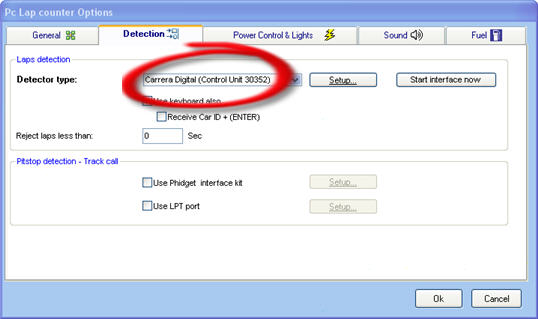
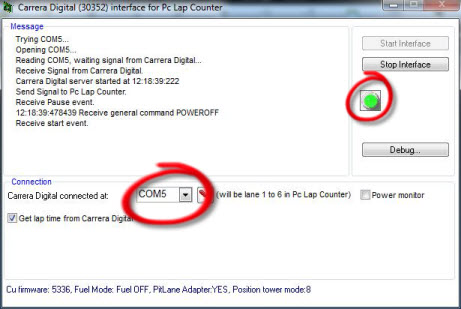
- In the general options, choose “Carrera Digital (Control unit 30352)” as the detector type and click OK; the Carrera Digital interface of Pc Lap Counter starts automatically and detects the COM port to use. If needed, you can change the COM port (Pc Lap Counter supports COM ports 1 to 16).
- Then you only need to assign drivers to lanes 1 to 8 when you set up a race (lane 1 = car ID 1, lane 2 = car ID 2, etc. Lane 7 = ghost car, lane 8 = pace car).
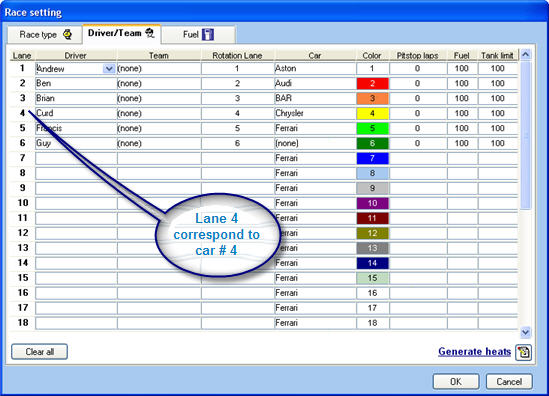
Put the ghost car on LANE 7 and the pace car on LANE 8
Advanced options for the Carrera Digital Control Unit 30352:
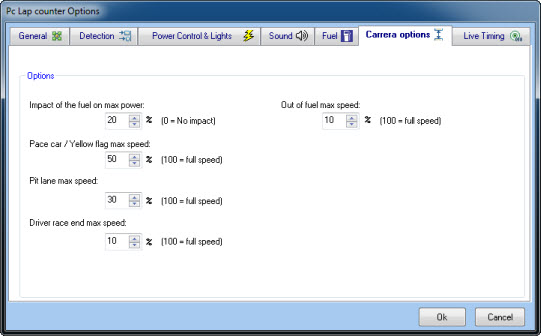
- Impact of fuel on max power (*):
A car with 100 L of fuel does not perform like a car with 20 L, so here you specify the percentage impact of fuel on the car’s performance.
For example, with a fuel impact of 20%, a car with 100 L has 80% of its max performance and a car with 40 L has 92%.
The fuel impact option has no influence on “ghost” drivers, as there is no fuel management for them.
If you do not want fuel to affect the cars’ performance, set the fuel impact option to 0%. - Out-of-fuel max speed (*):
When a driver runs out of fuel, you can reduce his car’s max speed to force him to refuel. - Pit lane max speed (*):
Reduces the cars’ max speed when they enter the pit lane. - Pace car / yellow flag max speed (*): see the pace car explanation
- Driver race-end max speed (*):
When a driver finishes his race, Pc Lap Counter automatically reduces his car’s speed to this value; a value of zero stops his car.
(*) These options are only enabled when you have a Control Unit with firmware version 5336 or higher (to update your Control Unit firmware, see the “requirements” section below).
- For each driver, you can specify the maximum power and other preferences:
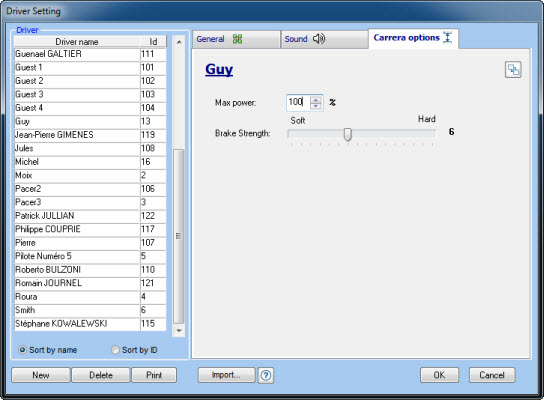
- Max power:
This limits the top speed of the driver’s car; for kids, for example, you can set it to 75%. - Brake strength:
Here you can specify the brake strength between “Soft” and “Hard” (between 0 and 15).
- In the race setting, you can specify the tank capacity and the fuel on board for each car:
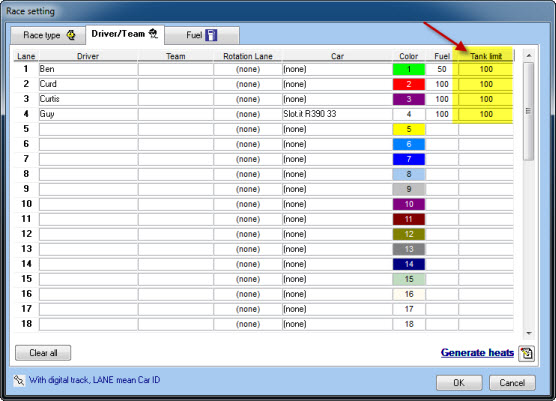
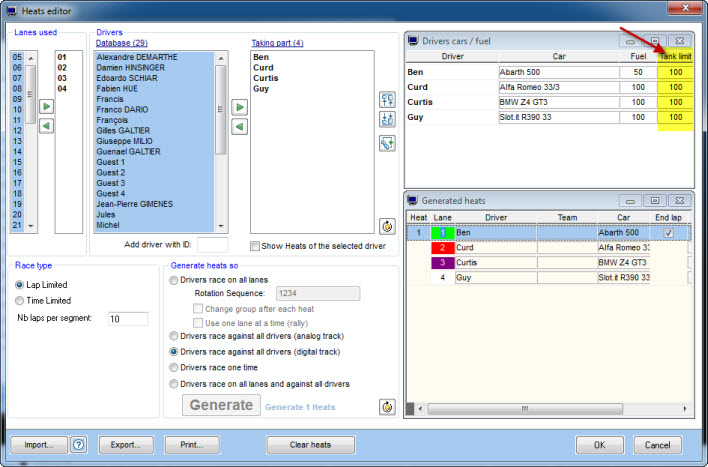
- Tank limit:
Here you can specify the fuel tank capacity of the car (between 0 and 100 liters).
When you use the Carrera Digital fuel management, Pc Lap Counter sends this tank capacity to the Control Unit.
When you use the Pc Lap Counter fuel management, the tank limit currently has no impact on the car’s performance.
Fuel management: you have two possibilities:
- Set Fuel to OFF on the Control Unit and tick the option “Fuel management” in Pc Lap Counter (in the race setting):
Pc Lap Counter uses its own analog fuel management (based on lap time) and reduces the cars’ max speed according to the fuel level. It also displays the fuel level on the driver display 30353. Pc Lap Counter ignores the fuel level coming from the Control Unit. - Set Fuel to ON or REAL on the Control Unit and untick the option “Fuel management” in Pc Lap Counter:
Pc Lap Counter does not reduce the cars’ max speed according to the fuel level; it displays the fuel level coming from the Control Unit and alerts you when it reaches the low level. When the fuel tank is empty, Pc Lap Counter also alerts you and slows the car to the speed specified in the out-of-fuel max speed option.
To know:
- False start detection is done by the Control Unit, not by Pc Lap Counter (Pc Lap Counter cannot do it because the Control Unit does not send the throttle level).
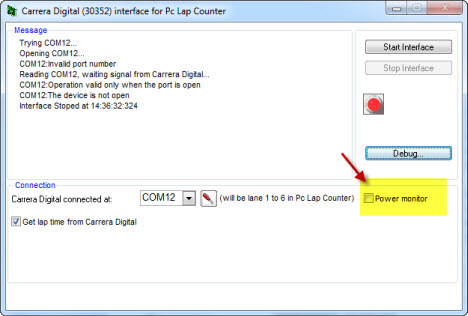
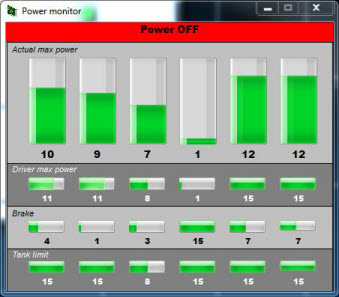
- In the Carrera interface of Pc Lap Counter, tick “Power Monitor” to display the values of the different parameters sent to the Control Unit (max power, brake, tank limit, etc.):
- False start: as you know, to restart the race after a false start you have to press the “start” button of the Control Unit twice. It is the same in Pc Lap Counter: after a false start, to restart the race from Pc Lap Counter, click the “start” or “restart” button twice.
- Each time Pc Lap Counter updates the Control Unit, the lights of the Control Unit flash.
- Known issue with the Carrera pace car: when Pc Lap Counter sends an update command to the Control Unit (max speed, brake, etc.), the pace car returns to the pit lane.
- When you use the fuel management of the Control Unit and pause then resume the race, the fuel level returns to the maximum.
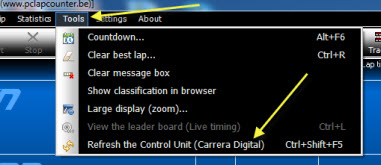
- To send all the parameter values to the Control Unit again, click “Refresh the control unit” in the “tools” menu. This is useful, for example, when a car was not on the track when the race configuration was confirmed:
Requirement:
- For Pc Lap Counter to send the max power, brake and tank limit information to a car, the car must be on the track.
- Pc Lap Counter for the Control Unit 30352 has been tested on a 3 GHz P4 computer with 1 GB of RAM running Windows 7.
- Pc Lap Counter version 5.38 has been tested with a Control Unit 30352 with firmware 5336; it has not been tested with other firmware versions. Some options are only enabled with Control Unit firmware 5336 or higher. You can update the Control Unit firmware with the AppConnect ref. 30369 and the “Carrera Race App” application, available on the App Store and Google Play: when you start the application on your smartphone or tablet, it offers to update the firmware of your Control Unit.
- The firmware version is displayed at the bottom of the Carrera Digital interface window of Pc Lap Counter, like here:
