Slot.it Live Timing Box
Pc Lap Counter works with the Universal Live Timing Box from Slot.it
When you plug the Universal Live Timing Box into the computer, Pc Lap Counter can use it as an S/F line detector, get the lap time and also get the throttle level of your SCP controller. For more information on the Universal Live Timing Box, please visit www.slot.it.
For software such as Pc Lap Counter to read data from the Live Timing Box, you need to install the Live timing_dr drivers from Slot.it, and the firmware of the Live Timing Box must be at least version 2.0.02.
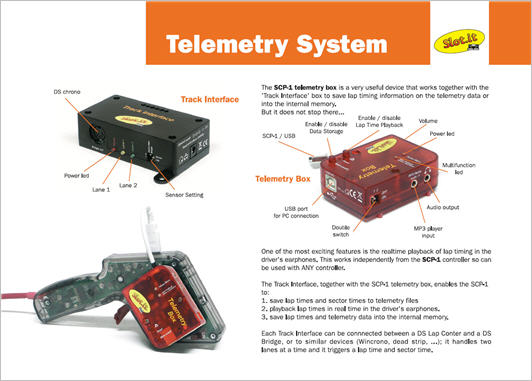
What Pc Lap Counter can do with the Universal Live Timing Box:
- Detect cars crossing the S/F line (up to 8 cars).
- Get the lap time from the Live Timing Box.
- When the Live Timing Box is plugged into both the PC and the SCP controller, Pc Lap Counter can:
- Get the throttle level and hand brake status, so you can use the digital fuel management and the Stop & Go feature of Pc Lap Counter (even on an analog track!).
- Detect false starts: if a driver presses the throttle before the start of the race, he gets a Stop & Go penalty.
- When the driver presses the hand brake button for 2 seconds, Pc Lap Counter can generate a pit stop; to end the pit stop, the driver just has to apply some throttle.
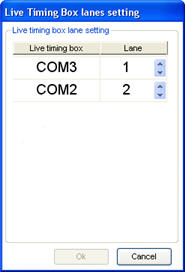
- Read and write the lane number in the Live Timing Box’s memory.
How to set up Pc Lap Counter for the Universal Live Timing Box:
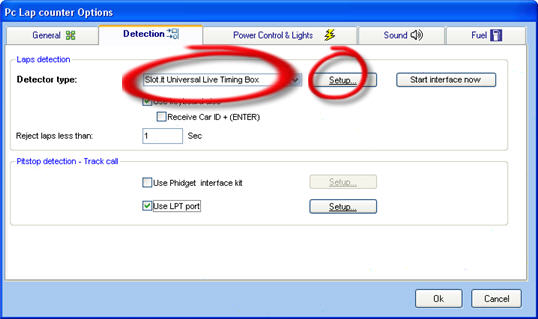
- In the options screen, choose “Slot.it Universal Live Timing Box” as the detector type and click the setup button.
- In the Slot.it Universal Live Timing Box interface of Pc Lap Counter, change the COM port if necessary (never close the interface window, otherwise Pc Lap Counter will no longer receive data from the Live Timing Box).
- Then you only need to start a new race and place the drivers on the right lanes.
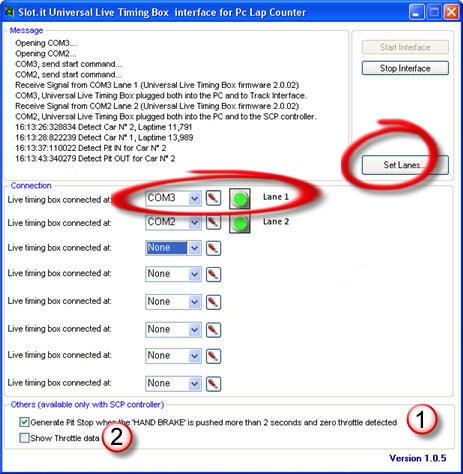
Options 1 and 2 only work when the Live Timing Box is plugged into both the PC and the SCP controller.
- When the driver presses the HAND BRAKE button for 2 seconds with zero throttle detected, Pc Lap Counter generates a Pit-IN signal; when the driver applies some throttle, it generates a Pit-OUT signal.
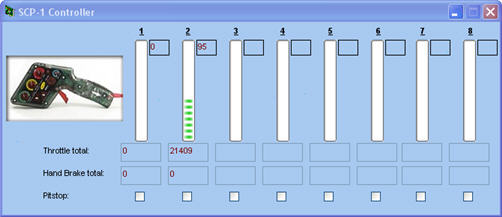
- Ticking “Show throttle data” opens the SCP-1 controller information window:
Fuel management with the Universal Live Timing Box: you have two possibilities:
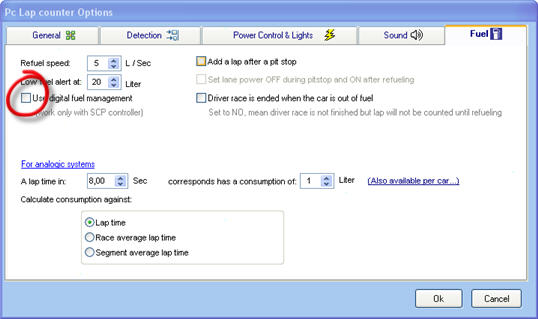
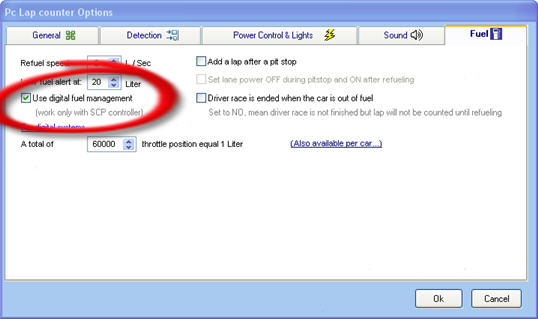
- Use the digital fuel management, which is based on the throttle level, by ticking the option “Use digital fuel management” and option 1 in the Live Timing Box interface to generate the pit stop signal (this only works when the Live Timing Box is plugged into both the PC and the SCP controller):
- Use the analog fuel management, which is based on lap time, by unticking the option “Use digital fuel management” and using special hardware to detect pit stops (see the hardware section).