RaceControl
Pc Lap Counter works with RACECONTROL hardware
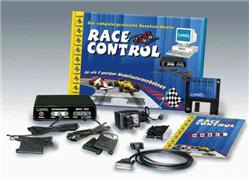
Version 4.46 of Pc Lap Counter includes a new interface to read data from the RACECONTROL hardware.
With Pc Lap Counter, your RACECONTROL system gains fuel management, Stop & Go management and more.
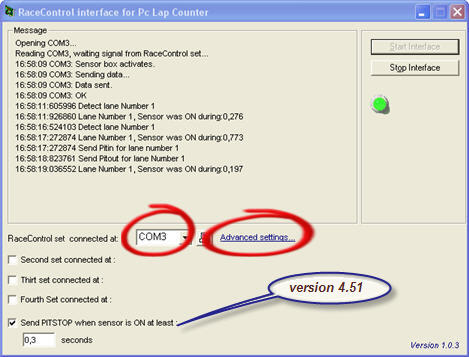
Since version 4.51, it is possible to detect pit stops using the S/F sensor of the RaceControl system, so there is no need to add special hardware to enjoy fuel and Stop & Go management. You just need to stop your car on the S/F sensor for x seconds and Pc Lap Counter generates a pit stop event (currently this only works with cars without a magnet and with the sensor sensitivity set to 100).
How to configure Pc Lap Counter to work with RACECONTROL hardware:
- Start Pc Lap Counter.
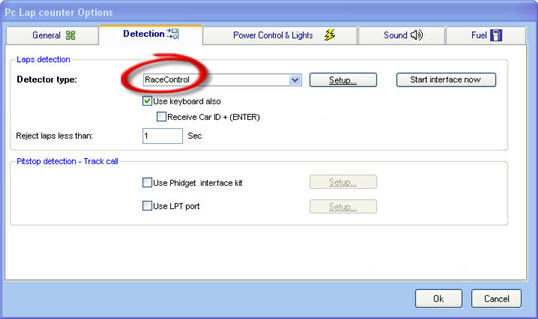
- Go to the options screen (click the “options” button).
- In the general options, choose “Racecontrol” as the detector type and click OK; the interface starts automatically.
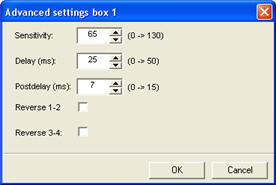
- In the taskbar, select the “RaceControl interface” program and change the COM port if necessary (default is COM1).
- Then you only need to assign drivers to lanes 1 to 4 when you set up a race.

If your computer does not have a serial port, you can use a USB/RS232 adapter; make sure the adapter uses an FTDI chipset.