Pc Lap Counter work on windows XP, 2000, Vista, 7, 8, 10, 11 (Parallel port work only on windows XP).
Demo version is full functionnality but limited to 10 laps, to start a race just do this:
Start Pc Lap Counter program
Click on the ‘New race...’ button and Click on the ‘OK’ button.
Click on the ‘START’ button
To simulate laps use keyboard key, TRACK 1 to 10 : 1,2,3,4,5,6,7,8,9,0 and TRACK 11 to 16 function key F1,F2,F3,F4,F5,F6 (more keyboard
shortcuts here)
Pc Lap Counter Version 5.48f
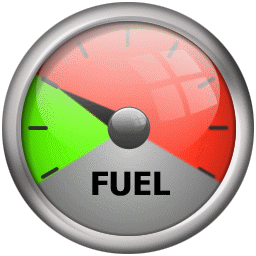
Other fuel gauge for Pc Lap Counter Replace fuel gauge with new one, more detail
Phidget library (version 2.1.8 of 05/11/2013) Phidget interface library, on some system you need to install this file to run Pc Lap Counter with Phidget interface.
32 bit
64 bit
MDAC
(Microsoft Data Access components). On some system and to save race result in access database you need to install MDAC from microsoft
Track power control connection schema using dontronics
kit
.
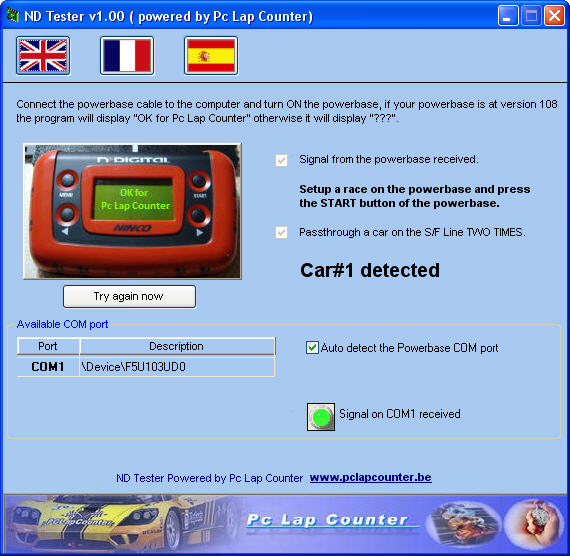
ND108Tester.exe Tools to test the compatibility of your Ninco Digital Powerbase with Pc Lap Counter.
Pc Lap Counter Version 5.46c
Phidget.msi (version 2.1.9 of 22/06/2018 only for Pc Lap
Counter version 5.43 and 5.44) Phidget interface drivers, on some system you need to install this file to run Pc Lap Counter with Phidget interface.

 Download Pc Lap Counter demo version